
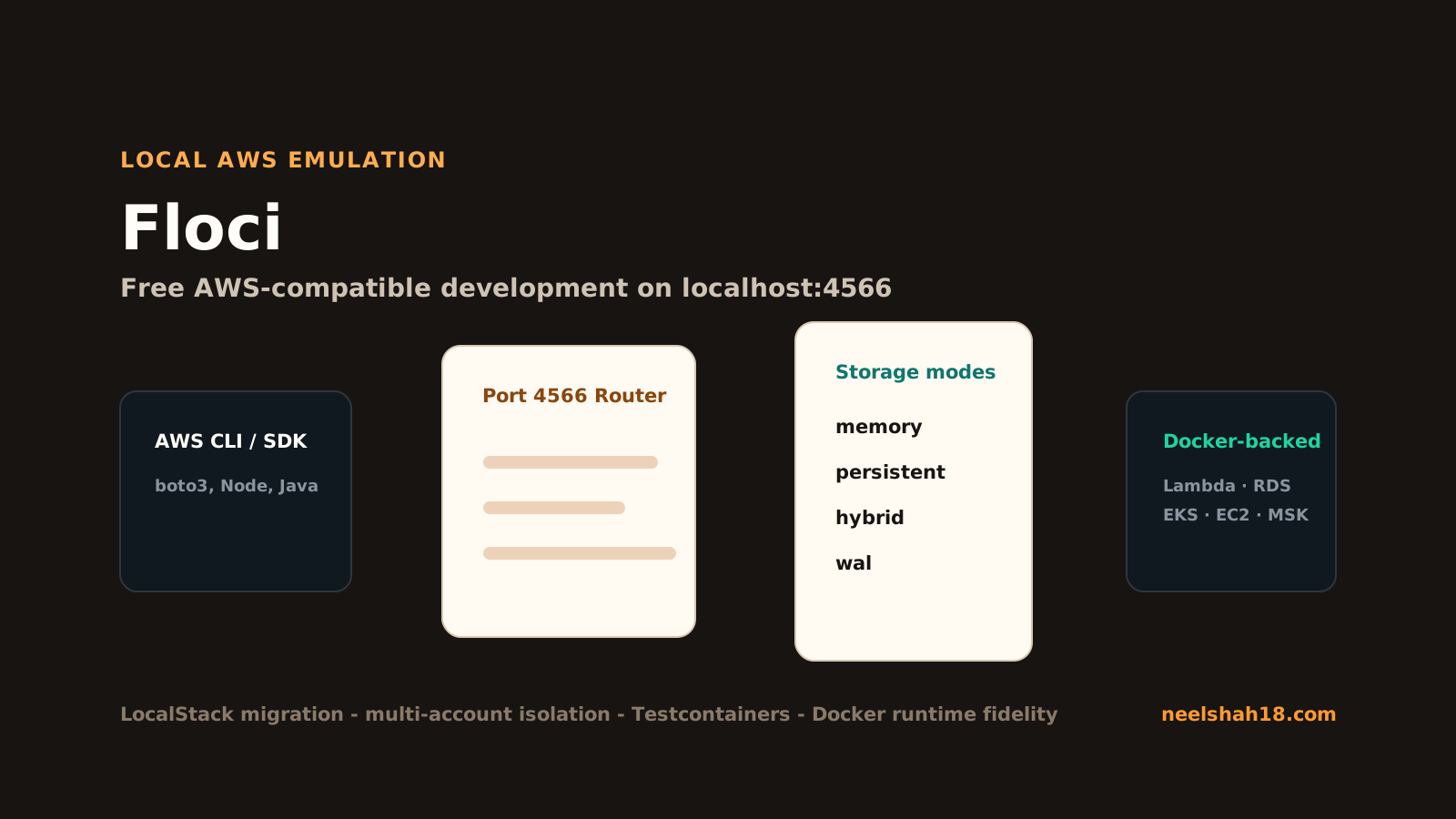
Floci is a free, open-source local AWS emulator. The pitch is deliberately simple: run a container, point your AWS SDK or CLI at http://localhost:4566, and develop against AWS-shaped services without a cloud account, auth token, feature gate, or paid local emulation tier.
I am writing this as my own learning guide, not as a press release. The question I care about is practical: if I am building a real application with S3, SQS, DynamoDB, Lambda, IAM, RDS, EventBridge, Cognito, or several of them together, can Floci become the default local target for development and CI?
Short answer: yes, for a large class of workflows. The longer answer is that you need to understand three things:
- Floci speaks the AWS wire protocol on the familiar LocalStack-style port
4566. - Some services are in-process emulations, while services such as Lambda, RDS, ElastiCache, MSK, EC2, ECS, EKS, OpenSearch, ECR, and CodeBuild use real Docker-backed execution where fidelity matters.
- Storage, account isolation, and compatibility mode are first-class concepts, so it is not only a toy endpoint for
aws s3 ls.
Official sources used while writing this guide: Floci GitHub, Floci documentation, migration from LocalStack, and multi-account isolation.
The mental model
Think of Floci as a local AWS control plane and runtime router.
Your application still uses normal AWS clients. Your CLI still sends AWS-shaped requests. Your Terraform, CDK, or SDK code still thinks it is talking to AWS. The difference is the endpoint:
export AWS_ENDPOINT_URL=http://localhost:4566
export AWS_DEFAULT_REGION=us-east-1
export AWS_ACCESS_KEY_ID=test
export AWS_SECRET_ACCESS_KEY=test
After that, the AWS CLI can create a bucket, queue, table, parameter, secret, function, user pool, stream, or local service resource through the same style of command you would use against AWS.
aws s3 mb s3://my-bucket
aws sqs create-queue --queue-name jobs
aws dynamodb list-tables
The important architectural split is this:
- In-process services are modeled directly inside Floci for speed and consistency.
- Docker-backed services start real containers when the underlying system needs real protocol behavior or native runtime behavior.
- Storage backend controls whether state is purely ephemeral or persisted to disk.
- Account resolution decides which logical AWS account owns a resource.
Quick start with Docker Compose
Create a docker-compose.yml:
services:
  floci:
    image: floci/floci:latest
    ports:
      - "4566:4566"
    volumes:
      - ./data:/app/data
Start it:
docker compose up
Then configure the AWS CLI:
export AWS_ENDPOINT_URL=http://localhost:4566
export AWS_DEFAULT_REGION=us-east-1
export AWS_ACCESS_KEY_ID=test
export AWS_SECRET_ACCESS_KEY=test
Try a few basic calls:
aws s3 mb s3://learning-bucket
aws sqs create-queue --queue-name learning-queue
aws ssm put-parameter --name /demo/message --value "hello from floci" --type String
aws ssm get-parameter --name /demo/message
If you only remember one thing: every client should point to http://localhost:4566, and credentials can be dummy values unless you are deliberately testing account isolation.
When Docker socket access matters
The minimal compose file is enough for many in-process services. But if you want Docker-backed services, mount the Docker socket:
docker run -d --name floci \
  -p 4566:4566 \
  -v /var/run/docker.sock:/var/run/docker.sock \
  -e FLOCI_DEFAULT_REGION=us-east-1 \
  -u root \
  floci/floci:latest
This is not cosmetic. Docker-backed services are the part that makes Floci interesting beyond simple CRUD mocks.
Examples:
- Lambda uses AWS public ECR runtime images and supports warm containers.
- RDS can run real PostgreSQL or MySQL containers.
- ElastiCache uses Valkey/Redis protocol behavior.
- MSK uses Redpanda for Kafka-compatible behavior.
- EKS can start k3s.
- ECR uses an OCI registry container so
docker pushanddocker pullbehave naturally. - CodeBuild can run real build phases in a container.
The tradeoff is obvious: Docker-backed fidelity costs more startup and runtime resources than pure in-memory emulation. Use it when the protocol or runtime is the thing you are testing.
Storage modes: choose the right durability
Floci supports multiple storage modes. This is one of the first things I would configure intentionally instead of leaving implicit.
| Mode | Behavior | Best fit |
|---|---|---|
memory | Everything is in RAM and disappears on stop | Fast tests, CI, isolated test cases |
persistent | Loads state at startup and flushes on graceful shutdown | Simple local development |
hybrid | In-memory speed with periodic async flushing | Daily dev where restarts should preserve work |
wal | Write-ahead log before acknowledging mutations | Maximum durability for local state |
For my own workflow:
- Use
memoryfor automated test suites where each run should start clean. - Use
hybridfor local app development. - Use
walonly when I care more about local durability than maximum speed.
Example:
services:
  floci:
    image: floci/floci:latest
    ports:
      - "4566:4566"
    environment:
      FLOCI_STORAGE_MODE: hybrid
    volumes:
      - ./floci-data:/app/data
Multi-account isolation
Floci can isolate resources by account. The rule is simple:
- If the AWS access key ID is exactly 12 digits, Floci treats it as the account ID.
- Otherwise it falls back to
FLOCI_DEFAULT_ACCOUNT_ID, usually000000000000.
That means this creates two separate queues with the same name:
AWS_ACCESS_KEY_ID=111111111111 aws sqs create-queue --queue-name orders
AWS_ACCESS_KEY_ID=222222222222 aws sqs create-queue --queue-name orders
Each account sees only its own queue:
AWS_ACCESS_KEY_ID=111111111111 aws sqs list-queues
AWS_ACCESS_KEY_ID=222222222222 aws sqs list-queues
This matters if you test SaaS account boundaries, cross-account IAM assumptions, multi-tenant eventing, or anything where a resource name can repeat across accounts.
Choose an account.
Migrating from LocalStack
Floci is designed to be a drop-in replacement for LocalStack Community in many projects.
The smallest migration is usually an image swap:
# before
image: localstack/localstack

# after
image: floci/floci:latest
If your init scripts call aws, boto3, or Python tooling inside the container, use the compatibility image:
image: floci/floci:latest-compat
Compatibility mode translates common LocalStack environment variables automatically:
| LocalStack variable | Floci equivalent |
|---|---|
LOCALSTACK_HOST | FLOCI_HOSTNAME |
PERSISTENCE=1 | FLOCI_STORAGE_MODE=persistent |
LAMBDA_DOCKER_NETWORK | FLOCI_SERVICES_LAMBDA_DOCKER_NETWORK |
LAMBDA_REMOVE_CONTAINERS=1 | FLOCI_SERVICES_LAMBDA_EPHEMERAL=true |
DEBUG=1 | QUARKUS_LOG_LEVEL=DEBUG |
The main data-path difference: LocalStack uses /var/lib/localstack; Floci uses /app/data.
SDK integration patterns
The SDK pattern is always the same: endpoint override, region, dummy credentials.
Python:
import boto3

ssm = boto3.client(
    "ssm",
    endpoint_url="http://localhost:4566",
    region_name="us-east-1",
    aws_access_key_id="test",
    aws_secret_access_key="test",
)

ssm.put_parameter(
    Name="/demo/app/message",
    Value="hello from floci",
    Type="String",
    Overwrite=True,
)

print(ssm.get_parameter(Name="/demo/app/message")["Parameter"]["Value"])
Node.js:
import { SQSClient, SendMessageCommand } from "@aws-sdk/client-sqs";

const sqs = new SQSClient({
  endpoint: "http://localhost:4566",
  region: "us-east-1",
  credentials: { accessKeyId: "test", secretAccessKey: "test" },
});

await sqs.send(new SendMessageCommand({
  QueueUrl: "http://localhost:4566/000000000000/demo-queue",
  MessageBody: "hello from producer",
}));
Go and Rust follow the same model: set the endpoint and use static credentials.
Testcontainers: the clean CI path
For integration tests, Testcontainers is the cleanest way to run Floci. You avoid one shared daemon, random local state, and port conflicts.
Java:
@Testcontainers
class S3IntegrationTest {
  @Container
  static FlociContainer floci = new FlociContainer();

  @Test
  void shouldCreateBucket() {
    S3Client s3 = S3Client.builder()
      .endpointOverride(URI.create(floci.getEndpoint()))
      .region(Region.of(floci.getRegion()))
      .credentialsProvider(StaticCredentialsProvider.create(
        AwsBasicCredentials.create(floci.getAccessKey(), floci.getSecretKey())))
      .forcePathStyle(true)
      .build();

    s3.createBucket(b -> b.bucket("my-bucket"));
    assertThat(s3.listBuckets().buckets())
      .anyMatch(b -> b.name().equals("my-bucket"));
  }
}
Python:
import boto3
from testcontainers_floci import FlociContainer

def test_s3_create_bucket():
    with FlociContainer() as floci:
        s3 = boto3.client(
            "s3",
            endpoint_url=floci.get_endpoint(),
            region_name=floci.get_region(),
            aws_access_key_id=floci.get_access_key(),
            aws_secret_access_key=floci.get_secret_key(),
        )
        s3.create_bucket(Bucket="my-bucket")
        assert any(b["Name"] == "my-bucket" for b in s3.list_buckets()["Buckets"])
Node:
import { FlociContainer } from "@floci/testcontainers";
import { S3Client, CreateBucketCommand, ListBucketsCommand } from "@aws-sdk/client-s3";

let floci: FlociContainer;

beforeAll(async () => {
  floci = await new FlociContainer().start();
});

afterAll(async () => {
  await floci.stop();
});

it("creates a bucket", async () => {
  const s3 = new S3Client({
    endpoint: floci.getEndpoint(),
    region: floci.getRegion(),
    credentials: { accessKeyId: floci.getAccessKey(), secretAccessKey: floci.getSecretKey() },
    forcePathStyle: true,
  });
  await s3.send(new CreateBucketCommand({ Bucket: "my-bucket" }));
  const out = await s3.send(new ListBucketsCommand({}));
  expect(out.Buckets?.some((b) => b.Name === "my-bucket")).toBe(true);
});
What I would test with Floci
Good fits:
- AWS SDK integration tests.
- SQS producer/consumer behavior.
- SNS to SQS or Lambda fanout.
- S3 object workflows, pre-signed URLs, versioning, multipart upload.
- DynamoDB table access, transactions, indexes, TTL edge cases.
- Lambda event-source mappings.
- EventBridge routing.
- Cognito auth-flow development.
- Local RDS and ElastiCache workflows where the engine behavior matters.
- Terraform/OpenTofu/CDK smoke tests.
- Multi-account boundary tests.
Use real AWS for:
- Final IAM policy validation against exact AWS behavior.
- Service limits, regional quotas, and control-plane throttling behavior.
- Managed service edge cases that depend on AWS internals.
- Production release confidence.
The best pattern is not “Floci or AWS.” It is:
- Run fast local tests on Floci.
- Run integration tests in CI with Floci/Testcontainers.
- Run a smaller set of contract tests against a real AWS sandbox account.
Troubleshooting checklist
If Floci starts but your app cannot talk to it:
- Confirm the endpoint is
http://localhost:4566. - Confirm the SDK is not silently using a real AWS profile.
- Confirm S3 clients use path-style access where needed.
- Confirm Docker-backed services have access to
/var/run/docker.sock. - If migrating from LocalStack, check whether init scripts need
latest-compat. - If persistent state looks wrong, verify
/app/datais mounted correctly. - If two accounts see the same data, check whether your access keys are exactly 12 numeric digits.
- If URLs contain the wrong hostname in Docker Compose, configure
FLOCI_HOSTNAME.
My practical takeaway
Floci is interesting because it is not only a small mock server. It is a fast local AWS-compatible endpoint with broad service coverage, compatibility-aware migration, multi-account state separation, multiple durability modes, and real Docker execution where simplified mocks are not enough.
For my own work, I would start using it in three places:
- Local development for AWS-heavy apps where using a real cloud sandbox slows the feedback loop.
- CI integration tests where every run should get a clean AWS-like environment.
- Migration experiments from LocalStack Community, especially after the community edition changes that made teams re-evaluate local AWS emulation.
The learning path is straightforward:
- Start with S3, SQS, SSM, and DynamoDB.
- Add storage mode intentionally.
- Add Testcontainers.
- Test one Docker-backed service such as Lambda or RDS.
- Add multi-account tests if your product has tenant or account boundaries.
Once that works, Floci becomes more than a local AWS substitute. It becomes a repeatable development and testing surface for cloud systems.