
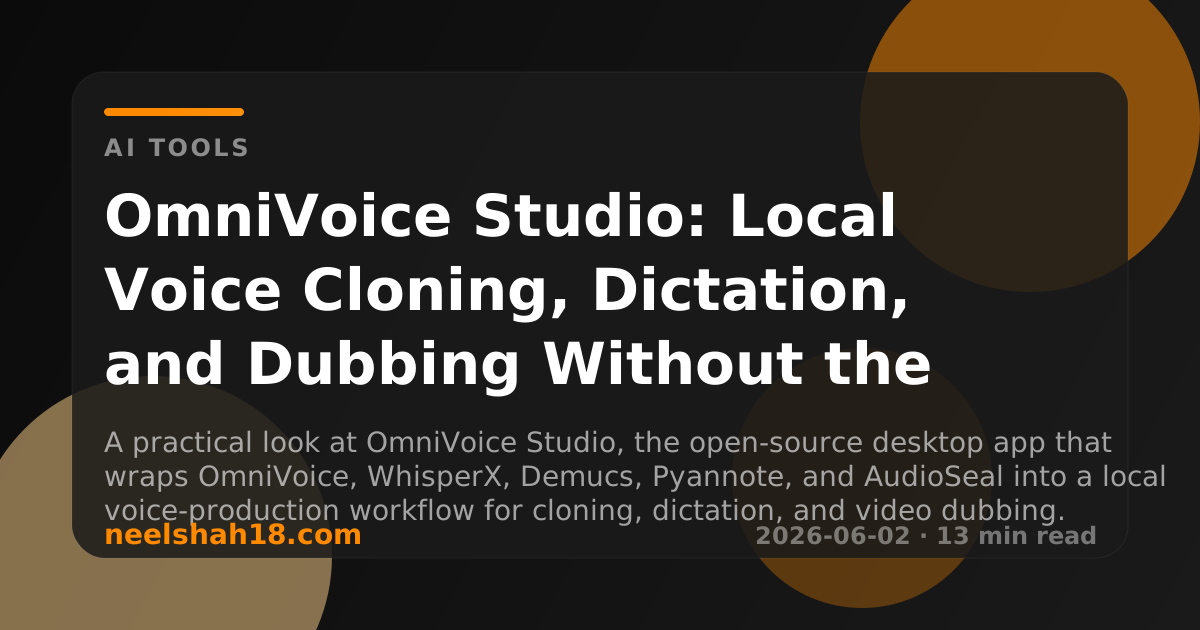
OmniVoice Studio is one of the clearest examples of where local audio AI is heading: not a notebook, not a cloud API wrapper, but a desktop application that tries to put voice cloning, dictation, video dubbing, diarization, source separation, and watermarking into one local workflow.
The project describes itself as an open-source ElevenLabs alternative. That comparison is useful, but incomplete. ElevenLabs is a polished hosted voice platform. OmniVoice Studio is closer to a local production bench: you run the stack on your own machine, install models locally, keep audio off third-party servers, and extend the backend if you want to wire in another speech engine.
The important distinction is control. If you need fast hosted APIs, managed voice libraries, and production SLAs, a cloud vendor still has advantages. If you need privacy, multilingual coverage, repeatable local workflows, and freedom from per-character billing, OmniVoice Studio is the more interesting direction.
What Is OmniVoice Studio?
OmniVoice Studio is a cross-platform desktop app for AI voice work. It combines a React/Tauri frontend with a FastAPI backend and a set of local speech models. The current public README highlights four core jobs:
- Voice cloning from a short reference clip
- Voice design using attributes such as gender, age, accent, pitch, speed, emotion, and dialect
- Video dubbing from a file or YouTube URL through transcription, translation, re-voicing, and MP4 export
- Dictation through a global desktop hotkey that transcribes and auto-pastes text from any app
The stack is deliberately local. The project says it does not require API keys, accounts, or cloud processing for its main workflows. Hardware support spans CUDA, Apple Silicon MPS, AMD ROCm, and CPU fallback, with VRAM-aware offloading for smaller GPUs.
That local-first posture is what makes the project worth watching. Voice AI has usually been gated by hosted services because speech models are heavy, pipeline orchestration is messy, and audio quality is difficult to tune. OmniVoice Studio tries to package that complexity into an application that a creator or developer can actually run.
The Model Underneath: OmniVoice
The core TTS engine is built around OmniVoice, the k2-fsa model described in the April 2026 paper OmniVoice: Towards Omnilingual Zero-Shot Text-to-Speech with Diffusion Language Models.
The paper claims support for more than 600 languages and uses a diffusion language-model-style, discrete non-autoregressive architecture. Instead of passing through a complex text-to-semantic-to-acoustic pipeline, OmniVoice directly maps text to multi-codebook acoustic tokens. The authors also report training on 581,000 hours of multilingual open-source data.
For users, the research detail matters for three reasons:
- Language coverage is the main bet. A voice tool that supports dozens of languages is useful. A tool targeting 600+ languages changes who can realistically build local dubbing, accessibility, and narration workflows.
- Zero-shot cloning reduces setup cost. You do not need to train a custom voice from scratch. A short reference clip can condition the generation.
- Non-autoregressive generation is about speed. Speech generation needs to feel interactive. Architecture choices that improve inference speed make desktop workflows more practical.
The model project recommends a 3-10 second reference clip for cloning and notes that using a reference in the same language as the target speech helps pronunciation. That is a practical constraint creators should take seriously: voice similarity and language quality are not the same thing.
What the Desktop App Adds
The model is only one part of the product. OmniVoice Studio’s bigger value is that it bundles several audio workflows around the model.
Voice Cloning
The voice cloning flow is the obvious headline. You provide a short reference audio clip, enter target text, and generate speech that mirrors the reference voice. In a cloud tool this is usually a priced feature. In OmniVoice Studio it runs locally, bounded by your hardware and the license terms.
This is useful for:
- Creator narration where you want a repeatable voice
- Game or prototype dialogue
- Multilingual demos
- Internal training material
- Accessibility and assistive workflows
It also needs careful governance. Voice cloning is powerful enough to create consent, impersonation, and disclosure problems. A local tool removes cloud data exposure, but it does not remove ethical responsibility.
Voice Design
Voice design is the more product-like feature. Instead of cloning an existing speaker, you can shape a generated voice through attributes such as age, gender, accent, style, pitch, speed, emotion, and dialect.
This matters because cloning is not always the right workflow. For commercial content, product demos, and fictional characters, a designed voice may be safer and more flexible than copying a real person.
Video Dubbing
The dubbing pipeline is where OmniVoice Studio becomes more than a TTS frontend. It can ingest a file or YouTube URL, transcribe the original speech, translate it, synthesize new speech, and export an MP4.
Under the hood, that requires several pieces:
- ASR for transcription
- Alignment for subtitle timing
- Translation
- TTS for the target voice
- Mixing and export
- Optional source separation to preserve background audio
- Optional diarization to identify speakers
This is the kind of workflow that normally becomes a fragile chain of scripts. Putting it in a desktop UI, with batch queues and project history, is the right product shape.
Dictation Widget
The dictation widget is easy to underestimate. A global hotkey that records, transcribes, auto-pastes, and disappears turns local ASR into a daily productivity tool.
For developers, writers, and operators, this may be the feature that gets used most often. Dubbing is occasional. Voice cloning is project-based. Dictation is an everyday loop.
The Supporting Engines
OmniVoice Studio is not tied to one speech model. Its README describes a multi-engine backend for TTS and ASR.
For TTS, OmniVoice is the default engine, but the project also lists integrations such as CosyVoice 3, MLX-Audio engines, VoxCPM2, MOSS-TTS-Nano, and KittenTTS. The value here is not just model variety. It is the backend registry: contributors can add a new TTS engine by subclassing the app’s TTSBackend.
For ASR, WhisperX is the default. The project also lists Faster-Whisper, MLX Whisper, PyTorch Whisper, Parakeet TDT, Moonshine, and FunASR paths. This matters because transcription quality, latency, language coverage, and hardware performance vary a lot by engine.
The more interesting pattern is modularity. Speech products are moving too fast for one model to remain best forever. A useful local app needs to behave like a routing layer: pick the model that fits the current job, hardware, and language.
Privacy and Cost: The Real Differentiator
Cloud voice tools have two structural costs:
- You pay per seat, per character, per minute, or per feature tier.
- Your audio goes through someone else’s infrastructure.
For some workflows, that is acceptable. For others, it is a blocker. Internal training videos, unpublished creative work, legal notes, healthcare material, confidential meetings, and client recordings all raise privacy and compliance questions.
OmniVoice Studio’s local-first model changes the tradeoff. You still pay with hardware, setup time, disk space, and occasional debugging, but not with ongoing cloud usage or remote audio processing.
That is especially relevant for small teams. A creator or startup can experiment with voice localization without first committing to a recurring hosted-platform bill. A developer can prototype an MCP-controlled voice workflow without handing audio to a third-party API. An enterprise team can evaluate voice AI behind its own controls before deciding what deserves hosted infrastructure.
System Requirements and Practical Reality
The project lists Windows 10, macOS 12+, and Ubuntu 20.04+ as the minimum OS targets. It recommends 16 GB or more RAM, 20 GB or more SSD space, and an 8 GB+ GPU such as an RTX 3060 for smoother performance. CPU mode works, but slower.
That is a fair expectation. Local voice AI is not a tiny browser app. You are running transcription, alignment, source separation, diarization, TTS, and export tasks that can all become expensive.
The good news is that the app is designed for degraded hardware paths:
- CPU fallback exists.
- Apple Silicon MPS is supported.
- CUDA and ROCm are detected.
- Low-VRAM machines can offload TTS to CPU during transcription.
The practical recommendation is simple: try it on your current machine, but expect serious dubbing or batch work to benefit from a real GPU.
Licensing and Commercial Use
One detail deserves attention: OmniVoice Studio is source-available under the Functional Source License, not a simple permissive open-source license on day one. The README says personal, educational, research, internal-team, and non-commercial use are free, while competing products or services require a commercial license. Releases convert to Apache 2.0 after two years.
That may be fine for many users, but teams should read the license before building a business on top of it.
This is different from evaluating the underlying model for research or personal experimentation. The desktop app’s license and the model ecosystem’s licenses can affect different parts of the stack. Treat licensing as part of the architecture review, not an afterthought.
Where It Fits
OmniVoice Studio is most compelling for four groups.
Creators who want local dubbing, narration, and voice experiments without per-minute pricing.
Developers who want a local voice stack they can automate, inspect, and extend.
Researchers and students who want a usable frontend for multilingual TTS and ASR workflows.
Teams with sensitive audio who need to experiment before committing to cloud processing.
It is less ideal if you need a managed API, guaranteed uptime, support contracts, a polished commercial voice marketplace, or hands-off deployment.
The Bigger Signal
The most interesting thing about OmniVoice Studio is not that it can clone a voice. Many tools can do that now.
The interesting thing is the product packaging. Local AI is moving from command-line demos to desktop workflows with project history, queues, hotkeys, logs, settings panels, provenance tools, and model registries. That is the shape open-source AI needs if it wants to compete with hosted products in real user workflows.
OmniVoice Studio is still in active beta, so expectations should be realistic. Installs may break, model downloads may take time, and audio pipelines will have edge cases. But the direction is strong: a local, multilingual, extensible voice studio that puts the user back in control of audio, cost, and experimentation.
For anyone building with local AI, this is the part worth studying. The future is not just better models. It is better wrappers around models: interfaces, queues, safety layers, provenance, hardware routing, and repeatable workflows that make advanced models usable outside a lab.
OmniVoice Studio is one of those wrappers. That makes it worth trying, and worth watching.